

Event marketing professionals face mounting pressure to prove ROI while managing complex workflows across registration, engagement, and follow-up. Event marketing workflows that connect registration to CRM boost MQL conversion rates by 30%. Well-structured workflows improve attendee engagement and pipeline impact. This article provides clear criteria and an actionable workflows list to help you streamline execution and measure results accurately.
Table of Contents
- Selection Criteria For Event Marketing Workflows
- Efficient Event Check-in And Access Workflows
- Integrated Data And CRM Workflows
- Personalization And Dynamic Content Delivery Workflows
- Optimize Your Event Marketing With Proven Workflow Solutions
- Frequently Asked Questions About Event Marketing Workflows
Key Takeaways
| Point | Details |
|---|---|
| Clear workflow selection criteria ensure efficient, measurable event marketing | Integration capability, automation potential, and data transparency are foundational evaluation factors |
| Automated check-in and AI personalization workflows significantly boost engagement and operational speed | Check-in time drops by 40% and engagement increases by 25-35% with the right workflows |
| Unified end-to-end workflows deliver up to 35% higher measurable ROI | Data integration from registration through sales handoff amplifies pipeline influence tracking |
| Multi-event engagement workflows increase attendee retention by 30% | Persona-driven experiences enhance the attendee journey across multiple touchpoints |
| Post-event CRM integration accelerates lead response by 50% | Automated lead scoring and systematic sales handoff reduce delays significantly |
Selection Criteria for Event Marketing Workflows
Choosing the right workflows determines whether your event becomes a measurable growth channel or a logistics exercise. Start with integration capability. Your workflows must connect seamlessly with your CRM, marketing automation platform, and analytics tools. Without this foundation, data silos emerge and ROI measurement becomes guesswork.
Automation potential is your second evaluation factor. Manual processes drain resources and introduce errors. Look for workflows that automate repetitive tasks like badge printing, lead scoring, and email sequences. Event marketing workflow selection should prioritize integration capability, automation potential, and data transparency to maximize operational impact and measurement accuracy.
Data transparency enables real-time tracking and KPI alignment. You need workflows that surface engagement signals immediately, not days later. Consider these essential criteria:
- Integration with existing tech stack without custom development
- Automation of high-volume, repetitive tasks
- Real-time data visibility for mid-event adjustments
- Scalability for events of different sizes and formats
- Clear alignment with pipeline and revenue goals
Flexibility matters because no two events are identical. Your workflows should adapt to virtual, hybrid, and in-person formats without complete reconfiguration. A workflow that works for a 100-person roadshow should scale for a 5,000-attendee conference with minimal friction.
Pro Tip: Map your current event process end to end before selecting workflows. Identify the three most time-consuming manual tasks and prioritize workflow selection criteria in event marketing that automate those specific pain points first.
Alignment with business goals ensures workflows drive measurable results. If your company prioritizes pipeline velocity, select workflows that accelerate lead handoff. If attendee retention is the focus, prioritize engagement and personalization workflows. Every workflow should connect directly to a metric your leadership team tracks.
Efficient Event Check-in and Access Workflows
Check-in sets the tone for your entire event. Long lines and registration errors create immediate frustration. Automated registration flows that integrate directly with badge printing reduce onsite check-in time and errors by over 40%, improving attendee experience from the first moment.
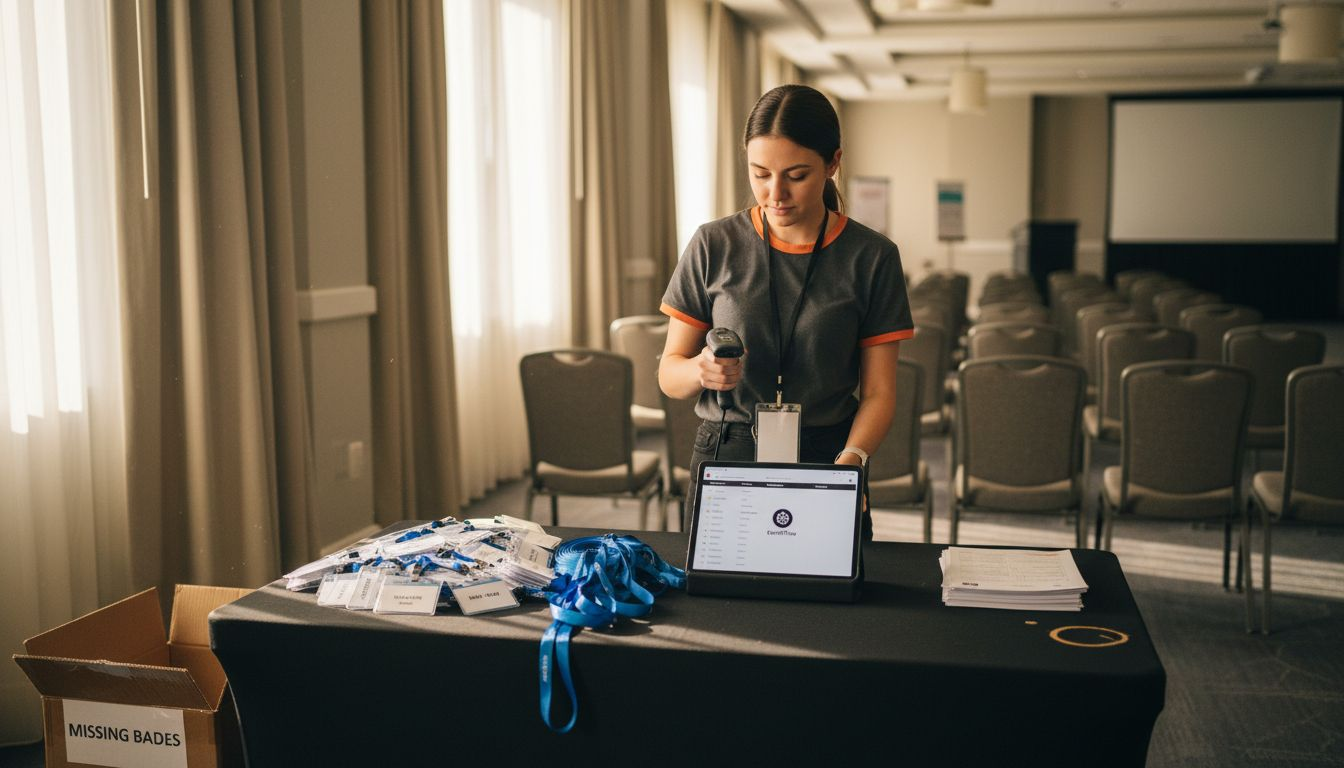
Hybrid check-in combines multiple technologies to eliminate bottlenecks. QR code scanning verifies registration instantly. Facial recognition speeds access for repeat attendees. Mobile badge printers let staff roam high-traffic areas instead of forcing everyone through central desks. Hybrid check-in workflows combining QR scanning, facial recognition, and mobile badge printing reduce bottlenecks and improve attendee flow by 50% compared to traditional badge desks.
Mobile onsite registration handles last-minute attendees without chaos. Handheld devices with integrated badge printers let staff complete registration, payment, and badge issuance in under two minutes. This flexibility prevents the backup that occurs when walk-ins join the pre-registered line.
Workflow automation reduces errors and increases attendee satisfaction. Consider these implementation steps:
- Pre-event sync between registration platform and badge system
- QR codes embedded in confirmation emails for instant scanning
- Facial recognition enrollment during online registration
- Mobile printer deployment at multiple venue entry points
- Real-time dashboard showing check-in velocity and wait times
"The difference between a good event and a great one often comes down to the first five minutes. Automated check-in workflows turn potential frustration into immediate confidence that the day will run smoothly."
Pro Tip: Run a test check-in session 24 hours before your event with 10-15 staff members. This reveals technology glitches and workflow gaps while you still have time to fix them. Focus on efficient check-in and access workflows that create momentum rather than friction.
Integrated Data and CRM Workflows
Capturing event data means nothing without systematic CRM integration. Your sales team needs enriched, scored leads within hours, not days. Event teams using integrated CRM workflows see 30% higher MQL conversions and reduce lead response time by 50%.
Automated lead scoring applies consistent criteria across all event attendees. Session attendance, booth dwell time, content downloads, and meeting requests generate engagement scores automatically. High-scoring leads trigger immediate sales alerts while lower-scoring contacts enter nurture sequences.
Faster, systematic sales handoff reduces lead response delays that kill conversion. When a prospect attends three sessions and requests a demo, your AE should receive a notification with full context before the event ends. This immediacy transforms event interest into pipeline momentum.
Improved data integration enhances pipeline influence tracking. You can finally answer the question: which event activities correlate with closed revenue? Tag every interaction with event metadata so your CRM connects booth conversations to deals six months later.
Implement this step-by-step sales handoff process for event leads:
- Capture engagement data across all event touchpoints in real time
- Apply scoring rules that weight high-intent actions like meeting requests
- Route qualified leads to assigned account owners within two hours
- Include engagement summary and recommended next steps in handoff
- Schedule automatic follow-up reminders for 24 and 72 hours post-event
- Track response rates and adjust scoring thresholds based on conversion data
Data hygiene matters more with event workflows because volume spikes. Duplicate records, incomplete fields, and mismatched accounts create chaos. Build validation rules that prevent bad data from entering your CRM. Use company domain matching to link individual attendees to existing accounts automatically.
Pro Tip: Create a dedicated campaign or program tag in your CRM for each event. This enables cohort analysis comparing event attendees to non-attendees on velocity, win rate, and deal size. Focus on CRM integration workflows for events that preserve data lineage for attribution reporting.
Personalization and Dynamic Content Delivery Workflows
Generic event experiences waste opportunities. AI-powered personalization workflows increase attendee engagement by 25-35% and outperform manual segmentation by 40%. Pre-event segmentation improves targeting precision by analyzing registration data, firmographic attributes, and past engagement patterns.
AI-driven session recommendations boost engagement significantly by surfacing content aligned with each attendee's role, industry, and interests. Instead of browsing 40 sessions manually, attendees receive a curated list of eight high-relevance options. Recommendation engines analyze historical attendance patterns to predict which sessions drive the most follow-up actions.
Persona-driven experiences enhance the attendee journey across multiple events. A CFO attending their third event with your company should see different content and networking suggestions than a first-time attendee from the same company. Progressive profiling builds richer personas over time, enabling increasingly relevant experiences.
| Approach | Engagement Rate | Personalization Accuracy | Implementation Time | Scalability |
|---|---|---|---|---|
| Manual Segmentation | 18-22% | 60-70% | 2-3 weeks | Low |
| Rule-Based Automation | 24-28% | 75-80% | 1 week | Medium |
| AI-Driven Personalization | 35-42% | 88-94% | 3-5 days | High |
| Hybrid (AI + Human Review) | 38-45% | 90-96% | 1 week | High |
Implement these personalization tactics:
- Send session recommendations three days before the event based on attendee profile
- Use dynamic agenda builders that reorder sessions by predicted relevance
- Deploy chatbots that suggest networking connections based on shared interests
- Trigger post-session content delivery aligned with attended topics
- Create persona-specific email tracks for pre and post-event communication
Dynamic content delivery extends beyond session recommendations. Event apps can display different sponsor messages based on company size, role, or buying stage. Virtual event platforms can adjust featured content based on real-time engagement patterns.
Pro Tip: Start with three clearly defined personas rather than attempting to personalize for everyone. Map distinct content tracks and networking opportunities for each persona. Measure engagement lift compared to your baseline, then expand to additional personas. Leverage AI personalization workflows for events to scale without proportional resource increases.
Optimize Your Event Marketing with Proven Workflow Solutions
You now understand the workflows that drive measurable event success. Implementing unified workflows with professional tools accelerates results and reduces implementation risk. Enhance data integration and automation easily without custom development timelines that delay ROI.
Accelerate ROI measurement and pipeline impact with event marketing workflow solutions designed for mid-sized to large event programs. Access expert support tailored to your event needs through automation tools for event marketing that connect registration, engagement, and follow-up seamlessly. Leverage CRM integration services for event workflows to turn high-intent event moments into measurable GTM signal.
Frequently Asked Questions about Event Marketing Workflows
How do I customize workflows for different event sizes?
Start with core workflows like check-in automation and CRM integration that scale across all event sizes. For smaller events under 200 attendees, simplify personalization to rule-based segmentation rather than AI. For large conferences over 1,000 attendees, add mobile check-in stations and real-time capacity monitoring. Adjust automation complexity based on staff availability and attendee expectations for each specific event format.
What metrics best measure event workflow effectiveness?
Track check-in time per attendee, lead response time from event to first sales contact, MQL conversion rate for event leads versus other channels, and attendee engagement score distribution. Monitor workflow completion rates to identify bottlenecks where manual intervention occurs. Compare cost per qualified lead across events to measure ROI improvements as workflows mature.
Can workflows integrate with multiple CRM systems?
Modern event platforms support multi-CRM integration through APIs and middleware. You can route different lead segments to Salesforce, HubSpot, or Microsoft Dynamics based on account ownership or region. Ensure your workflow tool offers pre-built connectors for your specific CRM to avoid custom integration costs. Test bi-directional sync to confirm updates flow both directions without data loss.
How do I balance automation with personalized outreach?
Use automation for high-volume, time-sensitive tasks like lead routing and scoring while preserving human touchpoints for high-value interactions. Automate the first follow-up email within 24 hours, but have sales reps personally call top-scoring leads within 48 hours. Let AI recommend next steps but allow account owners to adjust messaging based on relationship context. Review automation performance monthly and add human review layers where conversion rates lag expectations.
What timelines are realistic for workflow implementation?
Basic check-in and CRM integration workflows deploy in one to two weeks with pre-built connectors. AI-driven personalization requires three to four weeks for training data collection and model configuration. Complex multi-event engagement workflows spanning virtual and in-person touchpoints need six to eight weeks for full implementation. Start with one high-impact workflow, measure results for 30 days, then expand to additional workflows based on proven ROI.